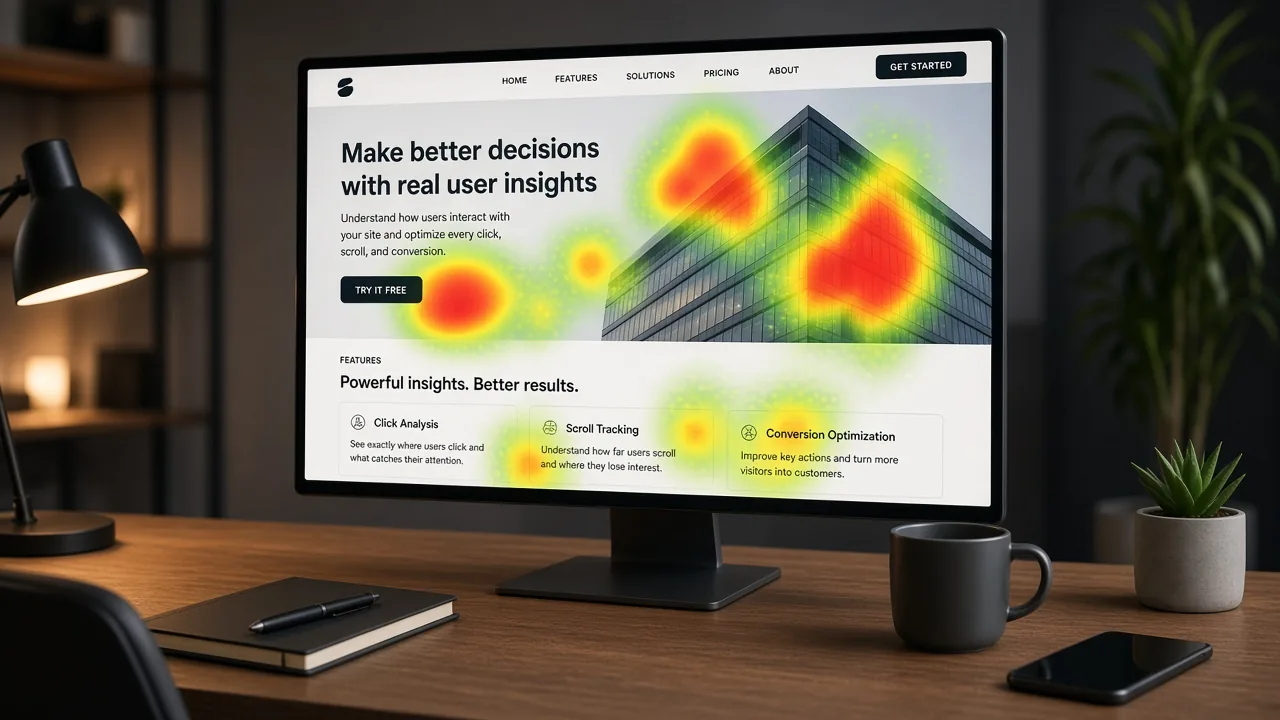
Click & tap heatmaps
Where attention clusters - and where important CTAs get ignored.
Conversion rate optimization · CRO
Liberty Weblab
Heatmaps, journey paths, and session insights - so CRO decisions come from real behavior, not guesswork.
Behavior signals
Where attention clusters - and where important CTAs get ignored.
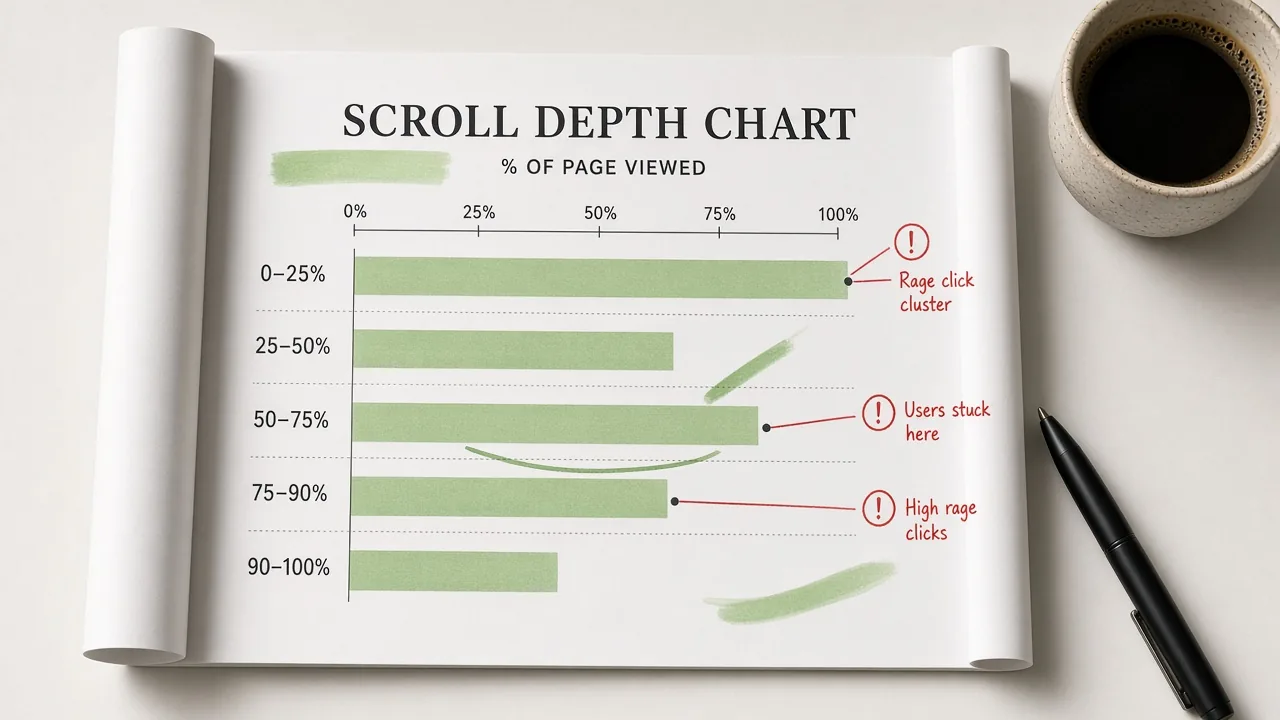
How far people go before they leave - and what they never see.
Frustration signals that reveal broken UI or unclear next steps.
Real paths through key pages - not averages alone.
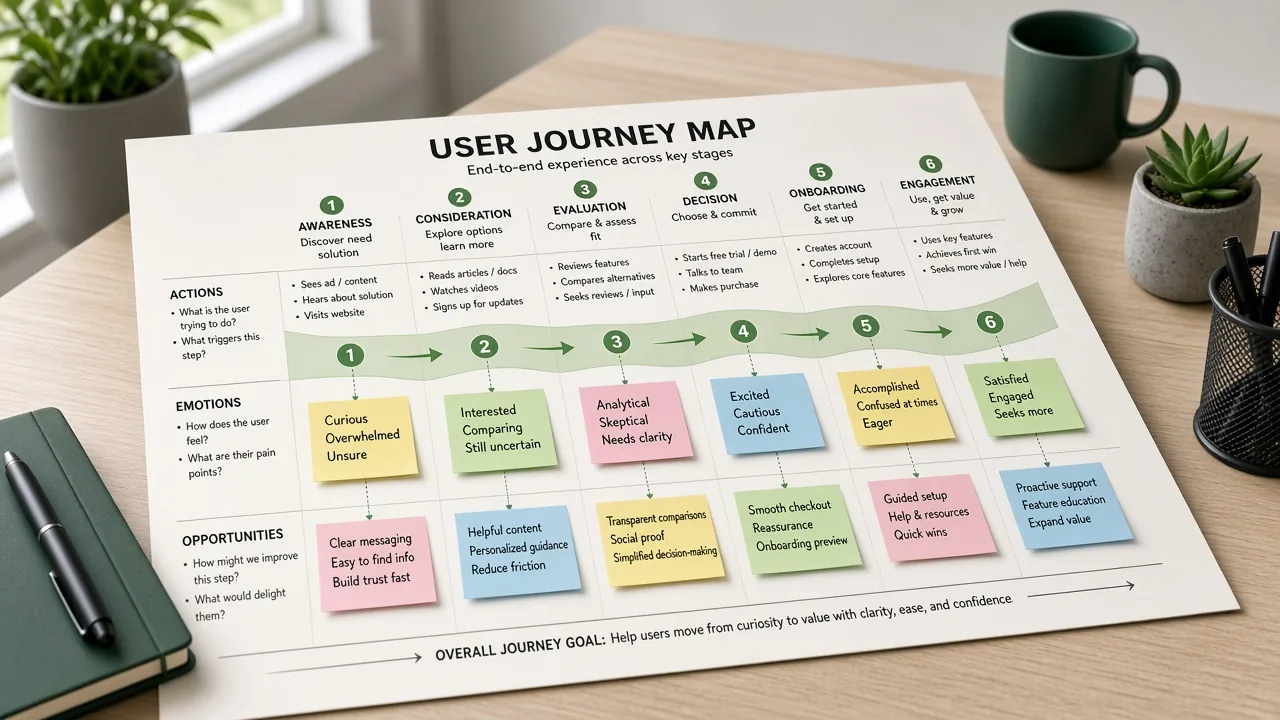
Journey map
We reconstruct the steps users take on critical flows - then mark where momentum breaks so CRO work targets the real leak.
Entry page & intent match
Scroll & click patterns
Form starts & stalls
Convert or exit
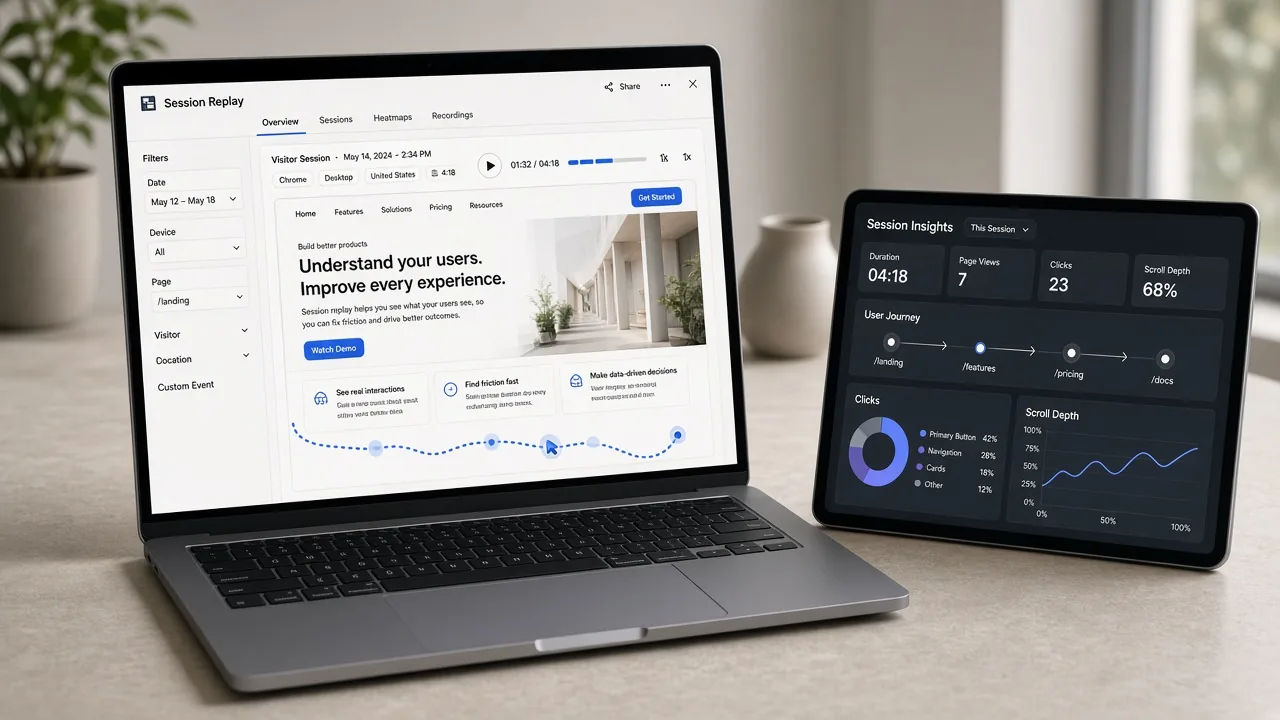
Session insight
Aggregates tell you what happened. Sessions show why - missed taps, confusing copy, and moments users almost converted.
Attention depth
Scroll maps show whether proof, pricing, and CTAs sit in the engagement zone - or below where most visitors stop.
What’s included
Heatmaps and events on the pages that matter most.
Click, scroll, and friction themes.
Where users stall on key flows.
Ranked UX fixes and test ideas.
Live review of clips and recommended next sprints.
Process
Install or audit tracking on priority URLs.
Collect heatmaps, scrolls, and sessions.
Tag patterns and quantify friction.
Hand off CRO and test priorities.
Why Liberty Weblab
We show the behavior behind every recommendation.
Findings map directly to tests and page fixes.
Setup guidance that respects your compliance needs.
FAQ
User behavior analysis studies how people interact with your site - clicks, scrolls, sessions, and drop-offs - to reveal friction that hurts conversion so you can fix or test the right changes.
Often yes - heatmap or session tools plus analytics events. We can work with what you already have or recommend a lightweight stack for your stack and privacy needs.
Behavior analysis finds problems and opportunities. A/B testing validates which fix wins. They work best together: observe → hypothesize → test.
When tools allow, we include representative clips (or screenshots) that illustrate patterns - never as a dump of raw recordings without context.
Share your key pages - we’ll outline a behavior analysis plan.

Liberty Weblab helps businesses grow through strategy-led digital marketing, clear reporting, and partnerships built on trust.